
Accessible websites with less work
Our All-In-One web accessibility solution that is lightweight, powerful, and secure.
Reinhardt Designs has partnered with UserWay, offering the world’s leading automated website accessibility solution for ADA and WCAG compliance.
ADA & WCAG
Web Accessibility Compliance
Partnering with
UserWay
AI Powered Widget
This page explains how UserWay helps your website achieve ADA compliance and improve accessibility for all users. It corrects website code to accommodate screen readers and other assistive technologies according to WCAG standards and adds customization tools all visitors can use. Meet or exceed accessibility requirements. UserWay includes automatic remediation, widget customization, ongoing monitoring, compatibility with major CMS, and risk mitigation.
- UserWay is the World’s #1 Web Accessibility Solution
- No changes are required for a website’s design or source code
- Short implementation process, rapid compliance for things like color contrast, etc.
- COPPA, FERPA, HIPAA, GDPR and of course, ADA compliant
- WCAG 2.1 & 2.2 conformance
- Accessibility compliance: it’s the law & the right thing to do
- Powerful up-to-date accessibility checker
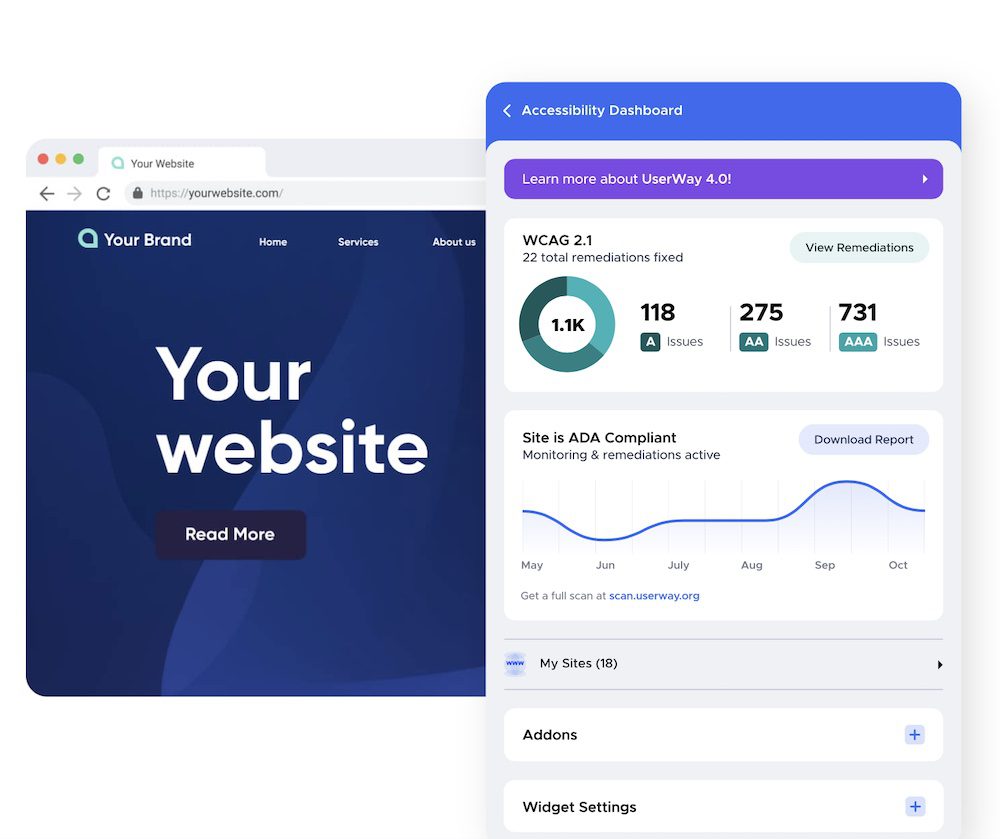
Strict WCAG 2.1, 2.2 & ADA Compliance with AI-Power
The full AI-Powered Accessibility Widget (ADA/WCAG 2.1, 2.2 compliance) enables all of the features and functions of the free widget, as well as the following automatic, back-end and front-end logic & remediation layers to accelerate ADA and WCAG compliance. Navigating the compliance process can seem complex and overwhelming if you don’t know where to begin. We are here to help.
Frequently asked questions
What's the difference between the free and paid versions of the Accessibility Widget?
In short, the free version of UserWay’s Website Accessibility Widget includes our accessibility checker and provides partial compliance of website accessibility issues via user-triggered accessibility enhancements, but it is limited in features. The paid version offers a more comprehensive, AI-powered solution that remediates the underlying code to work with assistive technology, in accordance with WCAG 2.1, 2.2 guidelines, following best practices & web accessibility guidelines. For more details, the free widget is suitable for basic needs, while the paid version unlocks advanced features and automation.
UserWay offers different price packages depending on the number of page views your site receives, ranging from $490 to $1,490 per year. Additionally, UserWay provides a certification that can be posted on your site to show compliance with ADA regulations.
The installation process is quick and beginner-friendly. You can install the Accessibility Widget in just a few clicks by adding a small code snippet to your website. After installation, users receive login instructions via email. Learn more about the importance of ADA compliance solutions.
Will adding the accessibility plugin to my site affect my site’s loading time?
The accessibility checker widget has been rigorously tested and optimized to ensure there is no impact on your site’s web page load time when enhancements such as color contrast, text size, alt text, and site navigation improvements are implemented. Both the widget and the remediations to your site’s code are done asynchronously after your site has finished loading, all while making your website accessible and ensuring ADA compliance.
If I make any changes to my website after installing the widget will those changes be remediated by the widget?
Absolutely! UserWay’s AI-Powered Accessibility Widget automatically identifies any changes to your website. If violations appear in newly-published web content, our evaluation tools will identify the changes and those will be immediately remediated by UserWay’s Accessibility Widget. You can freely publish new content without having to worry about needing to make modifications or changing accessibility guidelines. Have a WordPress website? No problem. You can also read more about our web design services here.
How is this solution better than the competition?
Over 1 million websites trust UserWay’s website accessibility solutions (with accessibility checker), including governments, banks, large enterprises, and countless SMBs. UserWay is a leading digital accessibility innovator and has been mentioned on reputable sites such as Forbes and TechCrunch. In fact, our extensive user base is over 20x larger than the next solution. UserWay has over 1 million installations, making it one of today’s market leaders in web accessibility solutions. UserWay is compatible with almost every content management system, including WordPress, Shopify, Wix, Joomla, and Weebly. That means our AI-powered rule engine is constantly learning from a vast array of WCAG violations and becoming more robust. UserWay works by adding a snippet of code to your website, which then automatically makes accessibility improvements. For Shopify users, UserWay’s AI-powered accessibility solutions help Shopify stores provide equal access rights, boost conversions, and protect against the risk of lawsuits. Hundreds of websites are at risk of ADA lawsuits due to non-compliance, making accessibility solutions essential. UserWay is recommended for businesses looking for multiple affordable web accessibility tools and services. Beware of imitators; they often collect behavioral data on your site’s users, decrease your site’s usability, and may even expose you to legal risks.
Does UserWay provide assistance with demand letters or lawsuits?
Yes. If you are an annual AI-Pro Widget customer you will receive customized legal support and guidance including: a legal intelligence report; leverage points for negotiation and defense; guidance on obtaining an optimal out-of-court settlement; a critical action plan; a phone consultation with our Legal Support Team; and a full report on of all the remediations being done by the AI-Pro Widget.
In the event that you receive a demand letter or lawsuit, contact UserWay as soon as possible.
Why does website accessibility matter?
Inaccessible web content means that people with disabilities are denied equal access to information. An inaccessible website can exclude people just as much as steps at an entrance to a physical location. The internet is a vital platform for accessible information and services, making web accessibility essential for everyone. Ensuring web accessibility for people with disabilities is a priority for the Department of Justice. In recent years, a multitude of services have moved online and people rely on websites like never before for all aspects of daily living. For example, accessing voting information, finding up-to-date health and safety resources, and looking up mass transit schedules and fare information increasingly depend on having access to websites. This comprehensive article provides guidance on achieving ADA compliance, comparing tools, DIY methods, and consulting professionals to help you make informed decisions.
People with disabilities navigate the web in a variety of ways. People who are blind may use screen readers, which are devices that speak the text that appears on a screen. People who are deaf or hard of hearing may use captioning. And people whose disabilities affect their ability to grasp and use a mouse may use voice recognition software to control their computers and other devices with verbal commands.
The ways that websites are designed and set up can create unnecessary barriers that make it difficult or impossible for people with disabilities to use websites, just as physical barriers like steps can prevent some people with disabilities from entering a building. These barriers on the web keep people with disabilities from accessing information and programs that businesses and state and local governments make available to the public online. But these barriers can be prevented or removed so that websites are accessible to people with disabilities. Making a website more accessible can open up a business to a wider audience with significant buying power.
Review text from the ada.gov website:
ADA website compliance is of utmost importance in today’s digital age, as it ensures that online content is accessible to all individuals, regardless of their disabilities. The Americans with Disabilities Act (ADA) was established to safeguard the rights of people with disabilities and promote inclusivity. This act extends to the digital realm, necessitating that web pages and online platforms are designed and developed with accessibility in mind. At this point, ADA and WCAG guidelines converge, making it crucial for organizations to address both legal and practical aspects of website accessibility compliance. By adhering to ADA compliance, organizations and businesses can accommodate users with visual, auditory, motor, and cognitive impairments, enabling them to navigate and interact with websites seamlessly. Not only does this improve the overall user experience for all visitors, but it also demonstrates a commitment to inclusivity and equal access to information for everyone. State and local governments, as well as private enterprises, must recognize the significance of ADA compliance to foster an inclusive digital environment that caters to the diverse needs of the population.
Ensuring ADA compliance / website accessibility standards on web pages has far-reaching benefits, beyond simply adhering to legal requirements. By using our website accessibility checker and making websites accessible, organizations can tap into a broader audience and expand their reach to individuals who might otherwise be excluded. Inclusive web design also enhances search engine optimization (SEO), as search engines prioritize websites with accessible features, boosting their visibility in search results. Additionally, ADA-compliant websites tend to be more user-friendly for all visitors, leading to higher user satisfaction and increased engagement. Non-compliance, on the other hand, can result in legal consequences and damage to a brand’s reputation. Investing money in ADA compliance features is not only a wise business decision to avoid costly legal consequences and penalties, but also ensures legal protection and long-term savings. By prioritizing ADA website compliance, organizations can create an inclusive digital space that fosters diversity, demonstrates social responsibility, and upholds the accessibility requirements & principles of equal access for all individuals.
Our website accessibility solution ensures ADA compliance, Title II and Title III adherence, and provides assistance for individuals with disabilities. Our initial free accessibility evaluation will use our accessibility checker to identify issues. UserWay offers PDF remediation and tools for adding closed captioning and transcripts to videos and other multimedia content, addressing accessibility needs across various formats.
Our website accessibility solution is designed to assist organizations in achieving ADA compliance, including Title II and Title III requirements, to ensure equal access for individuals with disabilities. We provide a free website accessibility evaluation using our accessibility checker, which follows WCAG 2.1 standards to identify and address accessibility issues, making your website more inclusive and user-friendly for all.
What is Level A, AA, AAA and Title II and Title III?
ADA Compliance Matters. See important definitions and resources below.
WCAG Level A, AA and AAA
Web Content Accessibility Guidelines (WCAG) has developed website accessibility standards (guidelines). These web accessibility standards, guidelines are divided up into three levels: A, AA, and AAA. Each level builds on the previous level. So, in order to meet Level AA you must meet all of Level A and in order to meet Level AAA you must meet all of Level AA.
WCAG Level A: This level represents the base level of conformance. Level A criteria affect the broadest group with the most benefits and are essential. But, with the base level of support, some accessibility barriers will still exist which impact certain groups of users.
WCAG Level AA: This level is the most common target conformance level, often adopted in regulations or negotiated in legal settlements. The criteria at this level establish a level of accessibility which works for more users, including those who use assistive technology, like a screen reader.
WCAG Level AAA: This is the highest conformance level achievable, meaning it covers the success criteria of all three levels. Level AAA is not always applicable or realistic in all situations. Some organizations may choose to adopt specific criteria at this level.
Title ii: Title II of the ADA prohibits discrimination against people with disabilities in all services, programs, and activities of state and local governments. State and local governments must take steps to ensure that their communications with people with disabilities are as effective as their communications with others.
Title iii: Title III prohibits discrimination against people with disabilities by businesses open to the public (also referred to as “public accommodations” under the ADA). The ADA requires that businesses open to the public provide full and equal enjoyment of their goods, services, facilities, privileges, advantages, or accommodations to people with disabilities. Businesses open to the public must take steps to provide appropriate communication aids and services (often called “auxiliary aids and services”) where necessary to make sure they effectively communicate with individuals with disabilities. For example, communication aids and services can include interpreters, notetakers, captions, or assistive listening devices.
Citations/more resources:
Wikipedia: Web Content Accessibility Guidelines
What is a Website Accessibility Checker?
A website accessibility checker is a tool or software designed to assess and evaluate the accessibility of a website. UserWay’s Accessibility Widget plays a key role in creating a simpler and more accessible browsing experience for your users while increasing compliance with WCAG 2.1, ATAG 2.0, European EN 301 549, ADA, & Section 508 requirements.
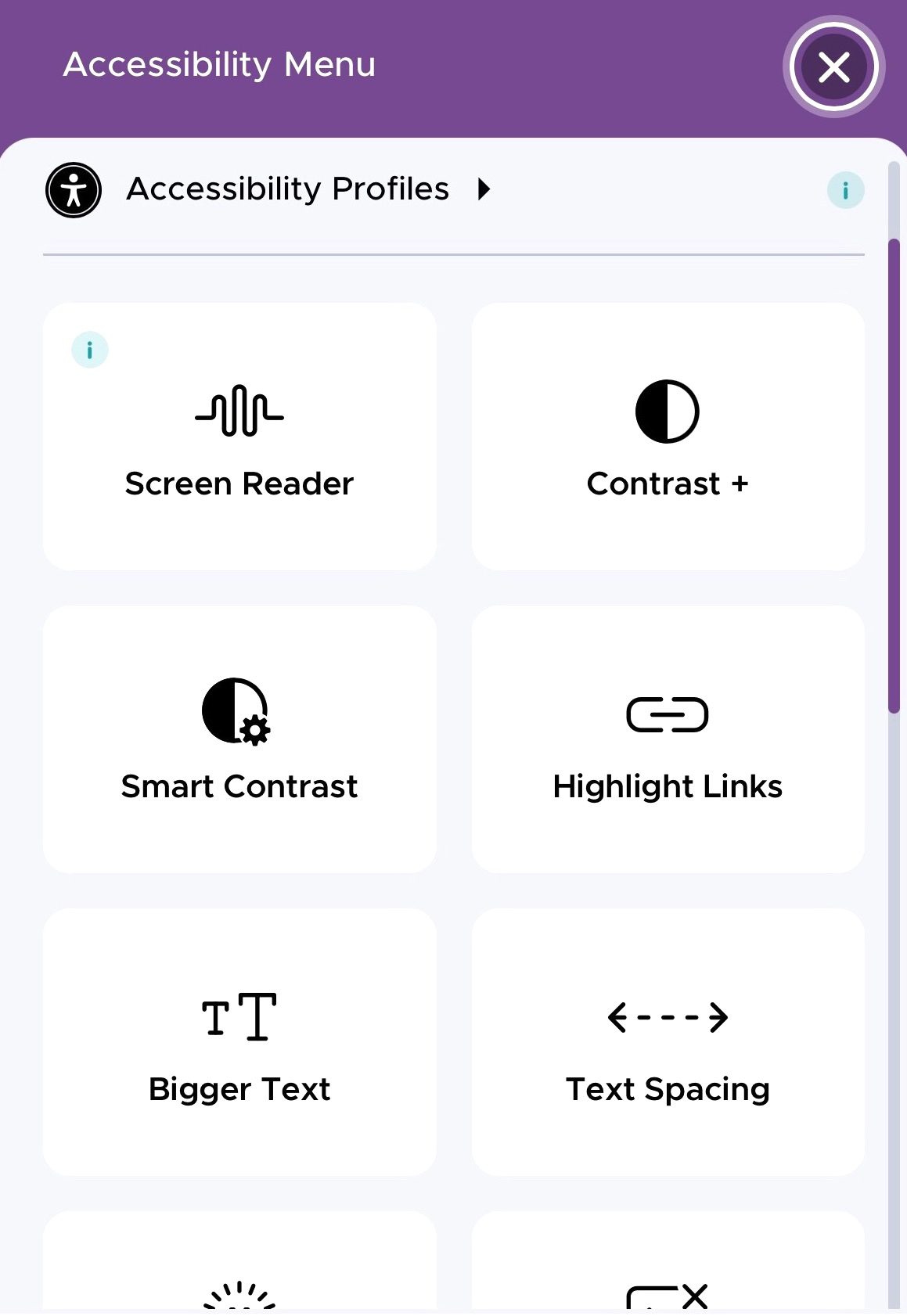
UserWay’s AI technology scans and analyzes every element on a webpage to automatically fix accessibility issues. The widget allows visitors to adjust settings such as contrast, text size, text spacing, and the structure of any given page, and creates an overlay that assists users with visual and physical impairments. UserWay’s accessibility widget also enables users to customize its appearance and functionality to fit their website’s branding and accessibility needs. It automatically remediates issues related to color contrast, keyboard navigation—including moving between head sections and headings—and text readability.
UserWay offers ongoing monitoring and accessibility audits to help website owners maintain compliance as they update their sites. You can sign up for UserWay’s widget or service to ensure your website remains accessible and legally compliant.
A website accessibility checker examines web content for compliance with accessibility standards, such as the Web Content Accessibility Guidelines (WCAG). WCAG provides a set of guidelines and success criteria to make web content more accessible to people with disabilities, including those with visual, auditory, cognitive, and motor impairments. Our ADA / WCAG Accessibility solution includes an accessibility checker to determine the extent to which your website needs technical remediation and applies these fixes on the fly!
Evaluating Your Website for Compliance
Accessibility Audit: Evaluating Your Website for Compliance
Conducting an accessibility audit is a vital first step in ensuring your website is both ADA compliant and truly accessible to all users. An accessibility audit systematically reviews your site to uncover any accessibility issues that could prevent people with disabilities from fully engaging with your content. With the increasing number of accessibility related lawsuits, it’s more important than ever to proactively address these concerns and demonstrate your commitment to web accessibility.
The audit process begins with a comprehensive review of your website’s structure, content, and interactive elements. This includes evaluating audio and video features to ensure they are compatible with WCAG guidelines, as well as checking contrast, color schemes, and font sizes for optimal visual accessibility. The UserWay widget plays a crucial role in this process, offering a full suite of accessibility tools that help identify non compliant elements and provide immediate solutions.
Usability and navigation are also thoroughly tested during the audit. This ensures that users who rely on keyboard-only navigation or assistive technologies can easily access and interact with your site. By identifying areas where your website may fall short, the audit helps developers address potential risks and avoid costly lawsuits.
After the audit, you’ll receive a detailed report outlining all discovered accessibility issues, along with clear recommendations for remediation. This roadmap empowers your development team to make the necessary changes, ensuring your site is compliant with ADA regulations and accessible to everyone.
Implementing these recommendations not only reduces your legal risk but also enhances the overall usability and inclusivity of your website. Once your site meets the required standards, you can proudly display the UserWay icon for accessibility, signaling to all visitors that your site is safe, accessible, and committed to compliance.
By prioritizing accessibility and leveraging the support and features of the UserWay widget, you can confidently navigate the process of achieving ADA compliance. This proactive approach protects your business, broadens your audience, and ensures your website is a welcoming space for all users, regardless of ability.
Main Benefits We Offer
Why partner with Reinhardt Designs and UserWay?
Play VideoPlay video
$495/year Start Today!
Lead the movement to make websites accessible to ALL. Not only is it the legal thing to do... it's the right thing to do. Adhere to accessibility requirements, fix accessibility violations, enable a tailored experience, over 80 enhancements.
Ongoing Accessibility Updates
Stay compliant and have ease of mind. Our real-time AI stays on top of all new website updates and pages, ensuring compliance for the present and the future.
ADA and WCAG 2.1, 2.2 Compliance
Our best-in-class accessibility checker & accessibility solutions ensure your website is ADA and WCAG 2.1, 2.2 compliant.
We Install and Monitor
We install the website accessibility plugin, scan your website for issues and let you know if there are any outstanding violations that can't be fixed by the plugin alone.
Review
“Needed emergency update for WCAG, accessibility ADA non-compliance. We are a small company that did not have professional oversight for our WordPress Website, mobile device issues, etc. Reinhardt Designs came to the rescue and got me updated and compliant quickly. Very appreciative!!!”
MV, real estate agent
It’s the Law
What are the legal obligations for web accessibility?
The legal obligations for web accessibility vary depending on the jurisdiction, but a common requirement is compliance with laws such as the Americans with Disabilities Act (ADA). Various countries have enacted their own accessibility laws or adopted international guidelines like the Web Content Accessibility Guidelines (WCAG) as a benchmark for compliance.
What are the potential consequences of non-compliance with web accessibility laws?
Non-compliance with web accessibility laws can lead to legal consequences, including the possibility of lawsuits, monetary damages, and legal settlements.
How can businesses ensure web accessibility and legal compliance?
Businesses can ensure web accessibility and legal compliance by following recognized accessibility standards and law such as ADA and the WCAG. Conducting regular accessibility audits and engaging the expertise of web accessibility professionals can also provide invaluable support.
Businesses are recognizing the pressing need to prioritize web accessibility
- Only 3% of the internet is accessible to people with disabilities
- There is a substantial rise in accessibility-related lawsuits due to non-compliance
$495/year. Start Your Compliance Journey Today!
Yes! I want my website to be ADA compliant.
Reinhardt Design's ADA Accessibility Pricing
$495/year
Ongoing ADA Compliance (AI Powered)
External documents like PDF’s, Word Docs and videos will not be covered by the UserWay plugin solution. If you want to be fully compliant these will need to be manually remediated. Reinhardt Designs can provide a site scan to determine the extent of extra remediation needed. The yearly fee of $495 will be auto renewed every 12 months.
$375 One-Time Setup
Includes full setup and updating your website’s Privacy Policy and Accessibility Statement.
BUY NOW